8 Best Wireless Doorbell Cameras (November 2026)
The best wireless doorbell cameras include the Ring Battery Doorbell 2K for long-distance detail, the Wyze Battery Video Doorbell for doorstep packages, and the Arlo Video Doorbell 2K with Chime for ready-made indoor ringing.
On this page (7 sections)
- How we chose the best wireless doorbell cameras
- Best wireless doorbell cameras by household need
- How do you choose a wireless doorbell camera view?
- How should power and storage shape your decision?
- What should you check before installing a wireless doorbell camera?
- What common wireless doorbell camera mistakes should you avoid?
- Which wireless doorbell camera should you choose?
The best wireless doorbell camera for most homes is the Ring Battery Doorbell 2K, which combines Retinal 2K video, up to 6x Enhanced Zoom, Live View and Two-Way Talk. Choose Wyze for local microSD storage, Arlo for an included chime, or Reolink for dual-band Wi-Fi and several local-storage options.
A wireless camera can still use existing doorbell wires. That matters if you want wired power, continuous recording on a supported model, or a connection to an indoor chime.
For a wider mix of wired and battery options, see our guide to the best doorbell cameras for any front door. If your shortlist is mostly Ring, compare the best Ring doorbells and Ring doorbell alternatives.
Our picks at a glance
-
1

-
2

-
3
 Best for ready-made indoor ringing
Arlo Video Doorbell 2K with Chime
7.7/10 our score
See it on Amazon
- 4
 Best for battery-powered simplicityCheck it
- 5
 Check it
Chamberlain myQ Video Doorbell
Best for low-light color views - 6
 Best for wired all-day captureCheck it
- 7
 Check it
Reolink Battery Video Doorbell (2nd Gen)
Best for flexible local archiving - 8
 Check it
Google Nest Doorbell (Battery)
Best for Google Home households
How we chose the best wireless doorbell cameras
The best wireless doorbell camera depends on what you need to see and how you want to power and store recordings. We compared video views, power choices, alerts, storage and chime support to find a match for different entryways.
Our scores reflect how well each camera's features fit common buying needs. The top pick balances visitor detail and two-way response, while the other models suit specific needs such as local storage, an included chime or continuous wired recording.
No single camera fits every entryway. Before choosing, check where the camera will point, whether wiring is available and how you'll hear a doorbell press inside.
| Product | Best for | Video | Power | Chime | Our score |
|---|---|---|---|---|---|
| Ring Battery Doorbell 2K | long-distance detail | Retinal 2K | Built-in rechargeable battery | Alexa-enabled devices | 8.7 |
| Wyze Battery Video Doorbell | doorstep packages | 1536x1536 HD+ | Battery or AC hardwiring | 7.9 | |
| Arlo Video Doorbell 2K with Chime | ready-made indoor ringing | 2K head-to-toe view | Rechargeable battery or wired trickle charging | Arlo Chime 2 included | 7.7 |
| Blink Battery Doorbell 2K+ | battery-powered simplicity | 2K Head-to-Toe View | Three AA lithium batteries | Existing wiring for in-home ring | 7.7 |
| Chamberlain myQ Video Doorbell | low-light color views | 2K | Battery or wired | 7.5 | |
| eufy Video Doorbell C31 | wired all-day capture | 2K FHD, 4:3 view | Battery or wired | 7.4 | |
| Reolink Battery Video Doorbell (2nd Gen) | flexible local archiving | 2K 4MP, 2048x2048 | Battery or 8–24VAC wiring | 7.3 | |
| Google Nest Doorbell (Battery) | Google Home households | HD with HDR and night vision | Built-in battery or existing doorbell wires | 7.2 |
Best wireless doorbell cameras by household need
These wireless camera picks suit different front-door setups, from a wide view of packages to a dedicated indoor chime. Start with the feature that would make the biggest difference at your own door.
Ring Battery Doorbell 2K: Best for long-distance detail
- Retinal 2K video
- Up to 6x Enhanced Zoom
- Live View and Two-Way Talk
- USB-C rechargeable built-in battery
Retinal 2K video and up to 6x Enhanced Zoom give this Ring model a useful mix for checking faces and details. Its built-in battery detaches for USB-C charging.
Pros
- Up to 6x Enhanced Zoom
- Live View and Two-Way Talk
- Works with select Alexa-enabled devices
Cons
- USB-C cable not included
- Scrollback and AI-powered alerts require a separate Ring Protect subscription
Ring Battery Doorbell 2K is the strongest all-around fit if you want to inspect visitors without leaving Live View. Its Retinal 2K video and up to 6x Enhanced Zoom give you options for viewing the porch broadly or checking detail at a distance.
Live View and Two-Way Talk let you see and speak with someone at the door in real time. Ring also sends phone notifications when it detects motion, and select Alexa-enabled devices can play custom notifications or launch video.
The built-in battery detaches for USB-C charging with the included removal tool. The USB-C cable is not included, so plan for a compatible cable and a convenient charging routine.
Ring Protect is sold separately and adds scrollback, AI-powered alerts and other features. Choose this camera if zoom and remote conversation matter most, but skip it if you need those saved clips and AI alerts without a separate plan.
Wyze Battery Video Doorbell: Best for doorstep packages
- 1536x1536 HD+ video
- 1:1 head-to-toe view
- MicroSD support up to 256 GB
- Wire-free or AC hardwired
Wyze combines a square head-to-toe view with MicroSD storage support. It can run on battery or AC hardwiring, with 24/7 local recording available in wired mode when you add a card.
Pros
- 1:1 view shows visitors and nearby packages
- MicroSD support up to 256 GB
- Battery or AC hardwired option
Cons
- Chime options are sold separately
- MicroSD card is not included
Wyze is a useful pick when you want to see the area from a visitor's head to packages on the ground. Its 1:1, 150° by 150° view and 1536x1536 HD+ video suit doors where a narrow horizontal view might miss something near the threshold.
The doorbell can run wire-free or connect to AC hardwiring. Wyze says battery life can reach 6 months, while wired mode supports 24/7 local recording when you add a MicroSD card.
Local storage supports cards up to 256 GB, and the doorbell can also use Cam Plus for cloud video storage. You can choose among Wyze Chime Controller, Wyze Universal Wi-Fi Chime or a Wyze Cam for sound elsewhere in the home, but those options are sold separately.
Pick Wyze if the square view and local recording options match your setup. Skip it if you expect a chime in the box or want card-based recording without buying a card.
Arlo Video Doorbell 2K with Chime: Best for ready-made indoor ringing
- 2K head-to-toe video
- Arlo Chime 2 included
- Rechargeable battery or wired trickle charging
- Custom activity and privacy zones
This Arlo bundle adds the Chime 2, so you can hear a ring at home as well as receive phone alerts. Its flexible power options and activity zones give it several setup choices.
Pros
- Arlo Chime 2 included
- Person, vehicle, package and pet alerts
- Works with Alexa, Apple Home and Google Home
Cons
- Arlo Secure plan required after the trial for advanced features
- Battery mode does not provide continuous power
Arlo makes the most sense if you want an audible indoor chime included with the doorbell. The Arlo Chime 2 can ring at home and play motion alerts, with selectable melodies and volume.
The doorbell captures a head-to-toe view in 2K and supports person, vehicle, package and pet alerts. Activity zones let you focus alerts on areas such as the front door and path, while privacy zones block selected spaces.
Power it with the rechargeable battery or wire it for trickle charging. The included chime connects over Wi-Fi without a base station, and basic alerts and live streaming work without a subscription.
Arlo Secure is required after the trial for features such as 60-day video history and AI detection. Choose this bundle if a ready-to-use chime and broad smart-home compatibility are useful, but skip it if you want those advanced features without a paid plan.
Blink Battery Doorbell 2K+: Best for battery-powered simplicity
- 2K Head-to-Toe View
- Three AA Energizer lithium batteries
- Two-way audio with noise cancellation
- Sync Module Core included
Blink pairs a 2K head-to-toe view with three AA lithium batteries and an included Sync Module Core. Blink describes battery life in months.
Pros
- 2K head-to-toe view
- Sync Module Core included
- Weather-resistant IP65 design
Cons
- Person detection requires a compatible subscription
- In-home ring requires existing doorbell wiring
Blink Battery Doorbell 2K+ combines a 2K head-to-toe view with a Sync Module Core in the box. Its included three AA Energizer lithium batteries make it a wire-free option, and Blink describes battery life in months.
The two-way audio includes noise cancellation for conversations with visitors. Night vision shows color in low light and switches to black and white in near darkness.
You can install it without wiring and receive doorbell-press alerts through the Blink app. For an in-home ring, connect the doorbell to existing doorbell wiring.
Person detection requires a compatible Blink subscription, sold separately. Choose this model if you want a battery setup and the included Sync Module Core, but skip it if person detection is essential and you don't want a subscription.
Chamberlain myQ Video Doorbell: Best for low-light color views
- 2K video
- Color Night Vision
- Battery or wired installation
- 150-degree wide view
The myQ camera combines 2K video with Color Night Vision and a 150-degree wide view. You can install it on battery or wire it to an existing chime.
Pros
- Color Night Vision
- Battery or wired installation
- Live view with two-way talk
Cons
- Recognized-face and unknown-person AI alerts require a Video Monitoring Plan
- Wireless chime is described as coming soon
Chamberlain's myQ Video Doorbell puts Color Night Vision alongside 2K video and a 150-degree wide-angle lens. That combination suits an entryway where you want color views in low light and a broad look at the porch.
It supports battery or wired installation. With wired installation, it pairs with an existing chime, while a myQ Wireless Chime is described as coming soon.
Motion detection sends real-time alerts, and you can choose monitored areas. Alerts for recognized faces or unknown people require a separate Video Monitoring Plan.
Choose myQ if its night view and wide angle fit your entryway. Skip it if you rely on person-identification alerts but don't want a plan.
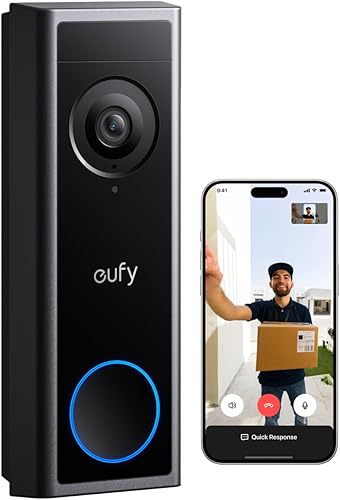
eufy Video Doorbell C31: Best for wired all-day capture
- 2K FHD video with 4:3 view
- Rechargeable battery or wired power
- 24/7 recording in wired mode
- No subscription fee for local microSD storage
The C31 supports local microSD storage and can record continuously when hardwired with the existing chime bypassed. Check the wiring and chime requirements before choosing that setup.
Pros
- Local microSD storage without a subscription fee
- 24/7 recording in wired mode
- Quick responses and visitor voice messages
Cons
- Hardwiring requires bypassing the existing chime
- HomeBase S380 and MiniBase Chime are sold separately
The eufy Video Doorbell C31 is a good fit if you want continuous recording and can hardwire the unit. In that setup, it supports 24/7 recording and 5-second pre-roll when powered by a 16–24V transformer and with the existing chime bypassed.
Its 2K FHD video uses a 4:3 view, and a quick-release 6,500mAh battery supports battery installation. When someone rings, a video call can pop up on your phone; quick responses and voice messages offer another way to reply.
The C31 supports local microSD storage up to 128 GB without a subscription fee. HomeBase S380 and MiniBase Chime are sold separately, and hardwiring requires bypassing the existing chime.
Choose it if wired recording and local storage are priorities and you are comfortable with the chime bypass. Skip it if keeping your existing chime operating is a requirement.
Reolink Battery Video Doorbell (2nd Gen): Best for flexible local archiving
- 2K 4MP, 1:1 head-to-toe view
- Battery or 8–24VAC wiring
- MicroSD support up to 512 GB
- People, vehicle, animal and package detection
Reolink offers local storage through a microSD card, Home Hub, NVR or FTP, along with battery or wired power. It supports 2.4 GHz and 5 GHz Wi-Fi.
Pros
- MicroSD support up to 512 GB
- No-subscription AI detection
- Dual-band Wi-Fi
Cons
- Chime is not included
- For full compatibility, use Reolink Chime Plus
Reolink suits buyers who want a choice of local storage methods and dual-band Wi-Fi. The doorbell supports 2.4 GHz and 5 GHz Wi-Fi, plus microSD cards up to 512 GB, Reolink Home Hub, NVRs and FTP.
Its 2K 4MP video uses a 1:1 head-to-toe view. Reolink says the battery can last up to 10 months based on 5 minutes of recording per day; wiring to 8–24VAC can help keep it topped up.
AI detection covers people, vehicles, animals and packages without a subscription. The free plan allows up to 25 rich notifications per day, while two-way calls, preset replies and a voice changer give you several ways to respond.
No chime is included. For full compatibility, use Reolink Chime Plus, sold separately, so account for that if you want an audible ring inside.
Google Nest Doorbell (Battery): Best for Google Home households
- Person, package, animal and vehicle alerts
- Wired or wire-free installation
- Three hours of free event video history
- Stores up to one hour of events during Wi-Fi or power outages
Nest sends alerts for people, packages, animals and vehicles in the Google Home app without a subscription. It saves up to three hours of event video history for free, but does not record continuously 24/7.
Pros
- Alerts identify several types of activity
- Three hours of free event video history
- Stores events during some Wi-Fi or power outages
Cons
- Battery model cannot continuously record 24/7 video history
- Longer event history requires a separate Nest Aware plan
Nest Doorbell is a good fit if you want activity alerts in the Google Home app without a subscription. Its built-in intelligence can identify people, packages, animals and vehicles, and it provides three hours of free event video history.
The battery-powered doorbell can be installed wire-free or connected to existing doorbell wires. It also stores up to one hour of recorded events during a Wi-Fi outage or power outage, so you may still be able to review activity after a disruption.
Nest includes live HD video with HDR and night vision. A Nest Aware plan, sold separately, can extend event video history to up to 60 days.
This model does not record continuously 24/7, even when wired or paired with a Nest Aware subscription. Choose it for Google Home alerts and event clips, but skip it if continuous recording is a must.
How do you choose a wireless doorbell camera view?
A head-to-toe view helps show packages close to the door, while zoom can help inspect detail in a wider scene. Match the view to your porch layout and camera position before choosing by resolution alone.
Wyze, Blink, Arlo and Reolink describe head-to-toe views. Ring emphasizes wide views and up to 6x Enhanced Zoom, giving you another way to inspect detail from Live View.
A camera angle matters as much as the view format. If the door sits close to a wall, railing or stair, look at the mounting position and whether a corner plate is available before drilling.
The Wyze package includes a corner plate, which can help adjust its viewing angle. For a comparison focused on camera layout, read our guide to dual-camera video doorbells, or see doorbell cameras with a monitor if you want a screen indoors for viewing visitors.
How should power and storage shape your decision?
Battery power gives you more placement flexibility, while wiring can support features that some battery setups cannot. Storage options range from local cards to event history and subscription cloud plans.
Wyze, Chamberlain and eufy offer battery or wired setups, and Reolink supports battery power or 8–24VAC wiring. For eufy, 24/7 recording requires wired mode and bypassing the existing chime; Google says its battery doorbell cannot provide continuous 24/7 video history.
If you prefer local storage, compare Wyze's microSD support up to 256 GB, eufy's up to 128 GB and Reolink's up to 512 GB. Ring, Arlo and Nest offer separate subscription features, so check plan terms against the recordings and alerts you expect to use.
A large card capacity only helps if you plan to use local recording and can keep the card installed in the required mode. For cloud plans, decide which functions matter before buying, such as longer video history, AI alerts or person detection.
What should you check before installing a wireless doorbell camera?
A few measurements and compatibility checks can prevent a poor view or a feature you cannot use. Confirm the power method, Wi-Fi reach, chime plan and installation position before attaching the camera.
First, check the doorbell wiring and chime type if you plan to connect the camera to existing power. Turn off power at the circuit breaker before working on wiring, and follow the camera's installation instructions; eufy specifically calls for the existing chime to be bypassed for its wired continuous recording setup.
Next, check that the Wi-Fi signal reaches the mounting spot and that the camera can face the path without pointing into a neighbor's private area. Reolink supports 2.4 GHz and 5 GHz Wi-Fi, while the other picks may have different network requirements.
Before mounting, charge the battery if needed, pair the camera in its app and test the live view from the intended position. Use the app's activity zones where available to focus alerts on the entrance and reduce motion from sidewalks or passing traffic.
Finally, test the indoor alert path. Confirm whether the camera uses an included chime, existing wiring, a compatible accessory or only phone alerts, so a visitor's ring does not go unnoticed when your phone is away.
What common wireless doorbell camera mistakes should you avoid?
The most common buying mistakes are choosing a view that misses packages, assuming every camera includes a chime and overlooking subscription requirements. A quick setup check can prevent each one.
Don't choose by resolution alone. A 2K camera aimed too high can still miss packages at the doorstep, while a head-to-toe view or a suitable mounting angle may be more useful for that scene.
Don't assume wired installation means continuous recording. That feature depends on the model and configuration; eufy requires a chime bypass, while the battery-powered Nest model does not offer continuous 24/7 history even when wired.
Don't assume a doorbell press will ring throughout the home. Arlo includes a Chime 2, but Wyze's chime choices are separate, Reolink's Chime Plus is separate, and Blink's in-home ring uses existing doorbell wiring.
Don't count on every alert or saved clip being included. Ring's scrollback and AI-powered alerts, Arlo's advanced features after its trial, Blink person detection and myQ face alerts have plan requirements.
Which wireless doorbell camera should you choose?
Choose the Ring Battery Doorbell 2K if you want zoom and two-way talk, Wyze for a square view and local card storage, or Arlo if an included chime is the deciding feature. Consider eufy for wired continuous recording, Reolink for flexible local storage, and Nest for Google Home activity alerts.
If your home has no useful wiring and you want straightforward battery installation, compare Ring, Wyze, Blink, Reolink and Nest based on the view, alerts and storage you need. If you can wire the camera and want ongoing capture, eufy's chime bypass requirement is central to the choice.
For a broader shortlist, start with our best doorbell cameras for any front door. If you need an audible alert inside, compare wireless video doorbells with a chime before you decide.
Our top 3 picks at a glance
-
1
-
2
-
3
Best for ready-made indoor ringing
Arlo Video Doorbell 2K with Chime
7.7/10 our score
See it on Amazon
Frequently asked questions
What should you compare when choosing a wireless doorbell camera?
Compare the view, power setup, alerts, storage and chime options. A head-to-toe view can show packages near the door, while zoom can help you inspect details farther away.
Check whether the features you need require a subscription or separately sold accessories.
Do wireless doorbell cameras need existing wiring?
Some can run on a rechargeable battery, and several models here also support wired installation. Wiring can add options such as continuous recording or a connection to an existing chime, depending on the model.
Check the installation requirements before you choose a power setup.
Can a wireless doorbell camera ring inside the house?
Yes, but the chime setup varies. Arlo includes its Chime 2, while Blink can use existing doorbell wiring for an in-home ring.
Wyze supports separate chime options, and Reolink requires a compatible Chime Plus for full compatibility.
Do wireless doorbell cameras need a subscription?
It depends on the camera and the features you want. Reolink supports local storage and AI detection without a subscription, while Ring requires a Ring Protect plan for scrollback and AI-powered alerts.
Arlo also requires a paid plan after its trial for advanced features.
Can a battery doorbell camera record all day?
Some models offer continuous recording when wired, but battery models may limit recording to events. The eufy C31 supports 24/7 recording in wired mode when its existing chime is bypassed.
Google says its battery Nest Doorbell cannot continuously record 24/7, even with a Nest Aware subscription.


