Is a Ring Subscription Worth It?
A Ring subscription may be worth it if you want to review missed events later or use AI-powered alerts. If live video, two-way talk, and motion notifications are enough, you can start without a plan.
On this page (8 sections)
- Is a Ring subscription worth it for your doorbell?
- What does Ring Protect add to compatible doorbells?
- How should you compare the plan cost with its value?
- Is local storage a better choice than a Ring subscription?
- Which doorbell and storage setup fits your home?
- What setup and care steps help avoid common problems?
- Should you choose Ring or a no-subscription doorbell?
- Is Ring Protect worth it for your household?
A Ring subscription may be worth it if you want to review missed events later or use AI-powered alerts. If you're asking “is Ring subscription worth it” because you mainly want live video, two-way talk, and motion notifications, you can start without a plan and see whether you miss event playback.
Ring says a compatible Ring Protect plan adds the ability to scroll back through missed events, AI-powered alerts, and other features. The right choice depends on whether you need saved footage after the moment has passed.
Is a Ring subscription worth it for your doorbell?
It may be worth paying for if you regularly want event playback or added alerts. If you can respond to notifications in real time and don't need to review events later, you may get enough from the doorbell without a plan.
Think through a normal week at your door. If you often miss alerts while working, traveling, or sleeping, event playback can help you see what happened after the alert.
If you usually check notifications right away and rarely need a record of visitors or deliveries, a subscription may add little to your routine. Check Ring Protect plans for current features and costs, since both can change.
For alternatives with different storage options, compare Ring doorbell alternatives. If you're still choosing a Ring model, see the best Ring doorbells for every front door.
What does Ring Protect add to compatible doorbells?
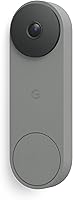
Ring Protect adds features such as event playback and AI-powered alerts to compatible doorbells. The Ring Battery Doorbell 2K and Ring Wired Doorbell 2K also support Live View, Two-Way Talk, and real-time motion notifications.
Live features suit quick checks: open the app when someone rings or when motion triggers an alert, then speak with the visitor. A plan is more useful when you want to look back at activity later or get added information from alerts.
The Battery Doorbell 2K has a built-in battery that recharges by USB-C after you detach it from the wall. Pick it if battery power fits your installation and you can remove it when charging is due.
The Wired Doorbell 2K suits a front door with compatible wiring and a preference for power from the home's electrical system. Both Ring models work with select Alexa-enabled devices, including custom notifications from Echo Dot and video on Echo Show.
Do Ring doorbells still work without a subscription?
Yes, the Ring Battery Doorbell 2K and Wired Doorbell 2K support Live View, Two-Way Talk, and real-time motion notifications. Those features let you check the door and respond while someone is there.
Without a subscription, the stated features don't include scrolling back through missed events. Decide whether live response is enough or whether you need recordings to review later.
How should you compare the plan cost with its value?
Compare the current recurring cost with how often you'll use saved footage and other included features. A plan used to review missed deliveries or visitors may be more useful than one kept only for a rare possibility.
Check the current plan page before deciding. Confirm the plan works with your doorbell, note the billing period, and make sure the features you want are included.
Don't choose based on an old price quoted in an article or on the cost alone. If footage review is central to your reason for buying a video doorbell, make sure your chosen storage approach supports it before installation.
Is local storage a better choice than a Ring subscription?
Local storage may fit better if you want saved footage without a recurring subscription fee. Check whether storage is built in or requires a separate card, and consider how you want to access recordings.
The eufy Video Doorbell E340 has built-in 8GB local storage and dual cameras. One camera captures visitors head-to-toe, while the downward camera shows packages by the doorstep.
The E340 can connect with an existing mechanical chime or compatible eufy chimes and bases. It supports 2.4 GHz Wi-Fi, so check that your network can provide that band at the door.
The eufy Video Doorbell C31 stores footage on a microSD card, sold separately, and also supports local storage without a subscription fee. It can use battery or wired power; hardwiring requires bypassing the existing chime.
Choose the C31 if you’re comfortable buying a compatible card or using a compatible HomeBase. For more help with alert sound options, compare wireless video doorbells with a chime.
Which doorbell and storage setup fits your home?
Choose based on power, storage, and the way you want to review events. Those choices determine whether the Ring plan adds value or whether a local-storage doorbell fits better.
- Choose the Ring Battery Doorbell 2K if you want a battery-powered Ring model with USB-C recharging and the option to add Ring Protect features.
- Choose the Ring Wired Doorbell 2K if compatible wiring is already available and you prefer power from the home's electrical system.
- Choose the eufy E340 if built-in local storage and a downward camera for packages suit your priorities.
- Choose the eufy C31 if removable microSD storage, with the card purchased separately, fits your setup.
Before installing, check the Wi-Fi band supported by your chosen doorbell and the power requirements for the mounting location. If you choose a wired setup, read the installation instructions and turn off power at the circuit breaker before working on doorbell wiring.
What setup and care steps help avoid common problems?
Check power, Wi-Fi, storage, and chime compatibility before mounting the doorbell. A few checks up front can prevent a setup that misses the feature you bought it for.
For the Ring battery model, plan how you'll remove the doorbell for USB-C charging and keep the included removal tool accessible. The cable is not included, so have a compatible USB-C cable ready.
For the Ring wired model, confirm that the existing wiring fits the installation requirements. With the eufy E340, verify 2.4 GHz Wi-Fi and check chime compatibility; with the C31, get a microSD card if you want card-based local storage.
Avoid assuming that every doorbell stores footage in the same way. Ring playback depends on a compatible plan, the E340 has built-in storage, and the C31 needs a separately purchased card for that option.
After setup, check that alerts arrive on your phone and that you can view the door from the places where you expect to use the app. Review your settings periodically so notifications remain useful rather than easy to ignore.
Should you choose Ring or a no-subscription doorbell?
Choose Ring if its app features and optional event playback suit your routine; choose local storage if avoiding a recurring fee matters more. Consider the storage method alongside the doorbell's power and network needs.
A Ring model can fit if you want live talk and alerts now, with the option to pay for playback and added alerts. You can start without a plan, then check whether the lack of saved event review affects how you use it.
A local-storage model may suit you if you prefer to keep footage without a monthly subscription fee. Check whether storage is included, whether you need a card or base, and whether your chime needs a change.
For help choosing add-ons for a Ring setup, see Ring doorbell accessories. If you're comparing subscription models across brands, read whether Nest and Arlo doorbells need a subscription.
Is Ring Protect worth it for your household?
Ring Protect may be worth it when you'll use event playback or added alerts often enough to justify the current plan cost. If live checks and motion notifications cover your needs, start without a plan and decide whether you miss reviewing events.
Choose the Battery Doorbell 2K if battery power works at your door, or the Wired Doorbell 2K if compatible wiring is available. Choose the eufy E340 for built-in local storage, or the C31 if removable microSD storage fits your setup.
Before paying, compare the current Ring plan features with the recordings you want to keep. If you're still asking whether a Ring subscription is worth it, use our Ring alternatives guide to compare storage choices.
Frequently asked questions
Is a Ring subscription required to use a Ring doorbell?
No. The Ring Battery Doorbell 2K and Ring Wired Doorbell 2K support Live View, Two-Way Talk, and real-time motion notifications without a subscription.
A compatible Ring Protect plan adds features such as reviewing missed events and AI-powered alerts.
Decide based on whether those extras matter to your routine.
Can you watch recorded Ring doorbell footage without a subscription?
The Ring features described for these doorbells tie reviewing missed events to a compatible Ring Protect subscription. Without a plan, Live View, Two-Way Talk, and motion notifications still let you check the door as events happen.
If you need to see what happened after an alert, compare the current plan features with a doorbell that stores footage locally.
Are there video doorbells with local storage and no subscription?
Yes. The eufy Video Doorbell E340 has built-in 8GB local storage and is described as having no subscription fee.
The eufy Video Doorbell C31 stores footage on a microSD card, sold separately, and supports local storage without a subscription fee.
What is the Ring doorbell subscription cost?
The Ring subscription cost isn't specified here. Check Ring's current plan page for the price, billing period, supported devices, and included features before you sign up.
Then compare the recurring fee with how often you'll use saved event playback and other plan features.