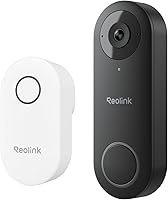
Long-Range Wireless Doorbell: How Far Can It Work?
A long-range wireless doorbell may reach 50–80 meters in open air, but walls, metal doors, and interference can shorten that distance. Test the doorbell and receiver at their planned locations before mounting.
On this page (7 sections)
- How far can a long-range wireless doorbell reach?
- What reduces wireless doorbell range indoors?
- How should you test the range before mounting?
- Which monitor kits may suit a long-range setup?
- What should you do if the signal drops?
- How should you choose a reliable location?
- How far will a long-range wireless doorbell work in your home?
A long-range wireless doorbell may reach 50–80 meters in open air, but walls, metal doors, and interference can shorten that distance. Test the doorbell and receiver in their planned locations before mounting either one.
The distance on a box is a starting point, not a promise for every home. A clear yard and a route through several interior walls create very different conditions.
How far can a long-range wireless doorbell reach?
Some wireless doorbell systems report 50–80 meters in open areas. With obstacles, the range can drop to roughly 5–30 meters or 10–30 meters, depending on the system and the surroundings.
Those figures describe different conditions, so don't treat one range as a universal indoor guarantee. Measure the path between the outdoor button and the indoor receiver, then account for every wall, door, and large object between them.
A camera system with its own monitor can also have a different connection from a conventional button and chime. For a screen-based setup, compare options in our guide to doorbell cameras with a monitor.
What reduces wireless doorbell range indoors?
Walls, metal doors, and interference can weaken a wireless doorbell signal. A shorter, less obstructed path gives the connection a better chance of reaching the receiver.
Materials and layout matter. A doorbell mounted outside a metal door may face a tougher path to a receiver inside than one mounted near an unobstructed entry.
Other wireless devices can also add interference. If the connection is unreliable, try moving the receiver to another nearby outlet or shelf and test again.
Does a long-range wireless doorbell need Wi-Fi?
No, some doorbell and monitor kits connect directly without home Wi-Fi. Others use Wi-Fi for features such as phone access, alerts, or app control.
The TKMARS and Winnes camera systems connect to their included indoor monitors over a direct wireless link and don't require Wi-Fi or an app. Their connection still needs to work across your home's actual walls and doors.
A Wi-Fi doorbell may depend on the home network for remote features. If your question is specifically about network bands, see whether doorbell cameras work on 5GHz Wi-Fi.
How should you test the range before mounting?
Test the doorbell from the exact outdoor and indoor locations you plan to use. Do this before drilling or sticking on a mounting plate, since moving either unit can change the signal path.
- Charge or power the units as directed.
- Put the receiver where you'll use it day to day.
- Hold the doorbell at its planned mounting spot.
- Press the button several times and check for a prompt response.
- Repeat the test with nearby doors closed and other household devices in normal use.
For video doorbells, confirm that the monitor displays the visitor when the button is pressed. A successful test from an open doorway may not reflect performance with a metal door shut.
The TKMARS monitor is intended to stay plugged in for daily use. The Winnes display also needs a continuous power connection, so test with its screen in the location where it can remain connected.
Which monitor kits may suit a long-range setup?
Choose a direct-link kit if you want a camera to connect to a dedicated indoor monitor without relying on home Wi-Fi. Check its connection from your planned mounting spot before settling on it.
The TKMARS system uses a private 2.4 GHz connection to its included monitor and doesn't need a smartphone or home internet. Its stated range is 50–80 meters in open areas and 5–30 meters with obstacles.
The Winnes camera also connects to an included 4.3-inch monitor without Wi-Fi or an app. Its stated connection distance is 50–80 meters in open air and 10–30 meters with obstacles.
The Wireless Smart Video Doorbell System has a 7-inch touchscreen and supports Wi-Fi. Its stated effective signal distance is up to 60 meters in open spaces, so test the connection through your home's walls before mounting.
The eufy E340 Kit with Chime includes a doorbell chime and supports wireless or wired power. Its product data doesn't provide a transmission-distance figure, so test the connection in your intended setup before choosing its location.
What should you do if the signal drops?
Move the receiver closer or reduce obstructions between it and the doorbell. Test one change at a time so you can tell whether it helped.
Try a different receiver position with fewer walls in the path. If the door has a metal surface, test with it both open and closed to see whether it affects the connection.
For camera kits, also confirm that the monitor has power and that the units remain paired. Follow the system's instructions if you need to pair them again.
How should you choose a reliable location?
Pick the location that passes a real connection test with doors closed and the receiver in everyday use. Leave enough room to power the monitor as required by its system.
Choose a nearby indoor spot if a farther room makes the signal unreliable. For chime-based systems, our guide to wireless video doorbells with a chime can help you compare setups.
Once the connection works, use video doorbell height guidance to plan the mounting position. Recheck the signal after installation, since the final door and hardware placement can differ from a handheld test.
How far will a long-range wireless doorbell work in your home?
Expect up to 50–80 meters in open air for some systems, then let an in-home test decide whether that range fits your layout. Choose a direct monitor kit if you want a local screen without Wi-Fi, and choose a chime setup if an audible indoor alert is the priority.
Start by testing the receiver where you'll keep it. If walls or a metal door weaken the signal, move the receiver closer and retest before mounting the doorbell.
Frequently asked questions
How far can a long-range wireless doorbell reach?
Some wireless doorbells report a range of 50–80 meters in open air, but that figure can shrink indoors. Walls, metal doors, and wireless interference affect the signal, so test the doorbell and receiver in their planned locations before you mount them.
Do walls reduce wireless doorbell range?
Yes. Walls can weaken the signal, and dense materials or metal doors may reduce the range more than an open doorway.
Put the receiver where you plan to use it and test the doorbell from outside before choosing a permanent mounting spot.
How can I improve a wireless doorbell connection?
Move the receiver closer to the doorbell, reduce the number of walls between them, and keep them away from likely sources of wireless interference. Test each possible position before mounting, since the best spot depends on your home's layout and materials.
Do wireless video doorbells need Wi-Fi to reach a monitor?
Not always. Some camera and monitor kits connect directly over a private wireless link and work without home Wi-Fi, while other systems use Wi-Fi for phone access or alerts.
Check what the specific system requires and test its connection at home.